5 Signs your website needs a refresh

Jon Richardson • April 27, 2025

5 indicators that you need to redesign your website


Why your website matters


Your website is more than a digital brochure. It is often the first real meeting between you and a future customer. If that meeting feels slow, clumsy, or out-of-date, you may never get a second chance.


I review sites for clients every week, and one thing keeps popping up: most site owners do not check performance until sales dip. That is too late. I tell every client to schedule a quick review at least once a quarter and back that review with hard numbers from a tool like Google


Analytics or Duda's built-in analytics. Data removes the guesswork and lets you act before leads vanish.

People Form an opinion about your website (and you) in less than a second


Below are five clear signs it is time for a facelift or a complete rebuild. As you read, keep two added truths in mind:


  • No traffic = no sales. A great site still needs a plan to attract visitors. Search Engine Optimisation (SEO) and Pay-Per-Click (PPC) ads are proven ways to drive that traffic.
  • Upkeep should not hurt. Our managed website service, for example, includes unlimited edits. If your current setup makes every change painful—or expensive—you can do better.


>>>REQUEST YOUR WEBSITE REVIEW HERE


Let's dive in.


1. It looks dated—even to you


Open your home page and pretend you have never seen it before. Does it feel crisp and modern? Or does it scream "made in 2013"?


Why the look matters


People form opinions in seconds. A dated layout signals neglect, even if your product is cutting-edge. Fonts that are too small, low-contrast color schemes, cluttered sidebars, or a boxed-in, narrow layout all send visitors hunting for a fresher option.


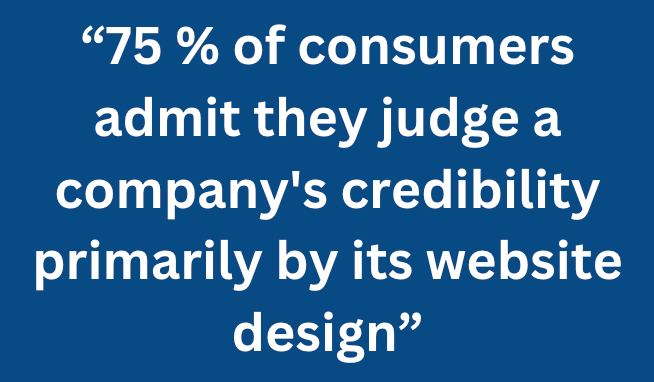
75 % of consumers admit they judge a company's credibility primarily by its website design


Self-check


  • Compare your site to three competitors on desktop and phone.
  • Ask a friend who will be blunt: "Does this feel old?"
  • Is the copyright mark up to date?
  • This is the big one - be honest with yourself. Are you embarrassed to show the website to prospective clients?


What to do

A design refresh may be enough. However, starting from scratch is often faster and cheaper in the long run, especially if your web designer is charging you an hourly rate.


Use a flexible website theme or template so you can refresh colours and fonts later without tearing the site apart.


My take


Design trends shift every two to three years. That does not mean you must chase every fad. A quick style audit each quarter means you will probably only need to make small tweaks rather than a full and expensive redesign every few years.


2. Mobile users must pinch, zoom, or squint


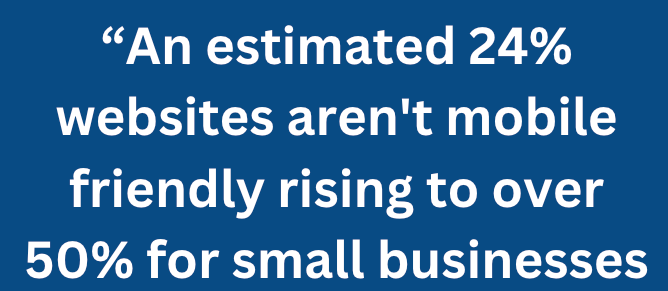
Over 60% of website visits come from phones. Google also ranks pages in a "mobile-first" index. If your website isn't easy to view and navigate on a mobile device, you lose rankings, visitors and, ultimately, money.


Symptoms

  • Menu text runs off the edge.
  • Buttons are too close together for a thumb tap.
  • Images overflow the screen.
  • Pop-ups block all content.


Testing tips


  • Use your own phone, then borrow another brand—an iPhone and an Android.
  • Run Google's free Mobile-Friendly Test and note the warnings.
  • Check analytics: if the bounce rate on mobile is far higher than on desktop, device frustration is likely.


Fix options


Unfortunately, if your website is not mobile-friendly, then a full rebuild is your only option.


My take


A phone test takes a few seconds and can be done anywhere. Put it on your calendar every time you publish a new page. If a tiny tweak knocks the layout out of line, you will catch it before users do.


3. It is not generating leads


A website that doesn't generate leads is nothing more than a vanity project.

Website traffic that never converts into customers is like a shop where people browse but never buy. The issue may be design, copy, missing trust signals or a lack of appropriate calls to action. Regardless, the outcome is the same—silence.


Common culprits


  • Calls-to-action are non-existent or blend into the background.
  • Forms ask for twenty fields when five will do.
  • Not having CTAs for people who aren't quite ready to purchase yet, such as a free guide, makes the only next step a high-commitment sale.
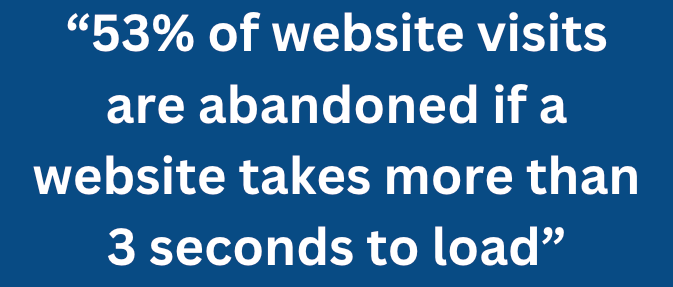
  • Slow pages that make users exit before the form appears.


Measure first


Set up one simple goal in Google Analytics: a form completion or button click. Watch how many visitors reach that step. If the numbers are low, map the drop-off page and study why.


Boost conversions


  • Place one clear call-to-action per screen.
  • Offer both "Talk to sales" and a lower-stress option like "Request a free website and SEO audit"
  • Add real testimonials near the form.
  • Use live chat or an AI chatbot for quick questions that block the sale.
  • Have FAQs (frequently asked questions) on your website to overcome potential objections.

Boost your website traffic.


Even a small amount of money spent on targeted PPC ads can generate leads quickly. Search Engine Optimisation provides long-term results. Combining SEO and PPC campaigns is always a winning strategy and can maximise the return on your investment in your website.


4. Making edits is painful—and costly


Small edits should take minutes, not days. Yet many business owners still rely on a developer for every comma change. Worse, each change may carry a fee.


Red flags

  • You can't make simple changes yourself.
  • Every change incurs a cost.
  • It takes time for your website designer to respond or make changes.


Why it happens

Many web design agencies often rely on customers to make changes as a way of increasing their revenue, and they will charge per hour (or part thereof). Independent website designers will also charge for their time but will often be under pressure to get their current project finished and won't prioritise your changes.


Better way

Modern content management systems separate content from structure. You edit the text in a clean dashboard, click save, and the live page updates.

With our managed service, all edits and amendments are included. Clients never ask, "Is this small change worth the cost?" They just improve the page.


My take

Cost fear kills momentum. The next time you avoid fixing a typo or updating an image because it means emailing your developer, mark that as a sign your platform is failing you.


5. Your brand has grown, but the site has not


Businesses evolve. You may have:

  • Added new products or services.
  • Focused on a specific service
  • Narrowed your niche.
  • Shifted tone from formal to friendly.
  • Rebranded with a fresh colour palette.


When the site still reflects the old you, it creates a trust gap. Users sense the mismatch even if they cannot name it.


Simple check

Read your About page aloud. Does it sound like how you introduce yourself at a networking event today? If not, the site is stuck in the past.


Update path

  • Rewrite key pages to match how you describe your business to prospective customers.
  • Refresh your photos and replace any stock imagery.
  • Adjust the navigation to highlight new services.


Sometimes copy and images are enough. But if the structure blocks new product pages, a rebuild of your website will often be quicker and cheaper.


My take

Brands do mini-pivots often—sometimes every quarter. Plan a light content review each time you tweak your offer so your site reflects the latest move.


Building a habit of review


Catching these five issues early is easier than fixing them after revenue falls. Here is a simple routine I share with clients:


Quarterly health check

Open Google Analytics or Duda's dashboard. Review engagement levels, traffic levels, bounce rate, and top exit pages.


Visual walk-through

Click every main page on a desktop and phone. Note anything that feels slow, broken, or out-of-sync with your brand.


Lead-path test

Fill out your own form. Did the thank-you email arrive? Did you land on a helpful next-step page?


Traffic strategy review

Look at the mix of sources: organic search, paid ads, social, and referrals. Is one channel lagging? Decide whether an SEO sprint, fresh content, or a PPC test could lift numbers.


Cost-of-change audit

Ask: "If we spot an issue today, can we fix it by tomorrow without surprise fees?" If the answer is no, consider a managed plan that removes change friction.


Put these five steps in your calendar now. They take under an hour and can save you a lot of time (and money) in the long term.


What a rebuild can deliver


  • Faster load times , better search rank, and happier users.
  • Responsive design one site that shines on every screen.
  • Clear conversion paths more leads with the same traffic.
  • Low-friction editing marketing moves at the speed of ideas.
  • Future-proof branding the site grows as your story grows.


Pair that rebuild with a smart traffic plan—ongoing SEO to climb organic results and tactical PPC ads for quick wins—and you create a virtuous cycle. More visitors arrive, the site converts them, analytics confirm what works, and you refine again.


Request a free website and SEO review

Final thoughts


A website is not a "set it and forget it" asset. Technology, design trends, and user habits shift fast. The five indicators above are simple mileposts that flag when your site lags behind.


My strongest advice? Treat your site as a living product. Review it often, measure with solid analytics, and invest in traffic strategies that feed it new visitors. When edits are easy and data is clear, you gain the freedom to improve week by week instead of waiting for a crisis.

If you read this list and nodded more than once, a redesign or rebuild is likely due.


The good news is that modern tools make the leap quicker than you think, and a managed service can keep it that way—edits included, surprises excluded.


Ready to find out what a fresh site could do for your bottom line? Take those quarterly review steps today. Your next customer is only a click away—and they will judge what they see in seconds.


About Overt Digital Media


Based on the sunny south-coast triangle of Christchurch, Bournemouth and the New Forest, Overt Digital Media is a lean, friendly studio that turns local ambition into standout web design. We specialise in fast, mobile-first websites that rank well on Google, convert visitors into leads, and are painless to keep updated—because every business, from Highcliffe cafés to New Milton trades, deserves a site that works as hard as they do.


What sets us apart


  • Local insight, national reach – we know the quirks of Dorset and Hampshire audiences, yet our builds perform just as well for customers finding you from further afield.
  • All-inclusive managed service – unlimited edits and proactive upkeep mean no surprise invoices. You focus on your trade; we keep the pixels perfect.
  • Traffic-ready from day one – every site launches with on-page SEO foundations, lightning-fast hosting, and clear pathways for future PPC or content campaigns.
  • Straight-talking support – no jargon, no ticket queues. You get direct access to the designer-developer who built your site.


Whether you’re a Bournemouth retailer looking to refresh an ageing Shopify theme, a Christchurch start-up that needs its first website, or a New Forest restaurant brand chasing more summer bookings, Overt Digital Media can help.


Schedule a free, no-pressure website review today—and find out how a sharper, faster, and easier-to-manage site can move your business forward.

Contact Us

By Jon Richardson September 9, 2026
AI receptionists are right for every business
By Jon Richardson August 8, 2026
Is your website costing you money each month You’ve already invested in a website. Maybe you put it together yourself one weekend, or perhaps you hired someone a few years back. Either way, it’s out there for everyone to see. But here’s the problem: it’s not helping your business. Each month, you pay for hosting, domain renewals, and maybe a few plugin subscriptions. But the biggest cost isn’t those monthly fees. It’s the steady flow of potential customers who visit your site, get confused, and leave for a competitor. When you think about redesigning your website, it’s easy to focus only on the upfront cost. You might think, "That’s money I could use somewhere else." But keeping an outdated or broken site running is rarely the cheaper choice. It could actually be your most expensive mistake this year. The Hidden Cost of an Underperforming Website Here’s what your current website might really be costing you behind the scenes: Lost enquiries every day: If your site loads slowly on a phone, or if visitors can’t tell what you do within five seconds, they leave. That’s not just lost traffic, it’s lost revenue. If you have Google Analytics set up, check your ‘Bounce’ rate - the number of visitors who leave (bounce) off your website within 10 seconds without taking further action. Wasted ad spend: If you run paid ads or social media campaigns pointing people to a site that doesn't convert, you are literally paying to for nothing Damage to your reputation: First impressions count. If your site looks like it’s from 2012, people may think your business is outdated too. When you think about all the missed phone calls and empty contact forms, a poorly performing website can cost you much more than fixing it ever would and the longer you leave it the more it will cost you. Looking at Your Website as an Investment Try to see a website update not as an expense, but as a way to earn money. A new website doesn’t have to be expensive. You don’t need fancy animations or complicated features. What matters is having a site that appeals to your customers, and is fast and clear, one that turns visitors into customers. When your website works well, everything changes. If a new site helps you get just two or three more clients each month, it quickly pays for itself.  How to Know When It’s Time for a Change You don’t need to be a marketing expert to spot when your site is outdated. Ask yourself these three questions: Can someone figure out how to work with you within ten seconds of landing on your homepage? Don’t trust your own judgement here, ask someone who doesn't know your business Does the site load quickly and look good on your phone? Do you need to pinch or zoom at any point? Do people actually use your site to contact you, or is it just sitting there like a digital business card? If you answered no to the first two, or yes to the last one, your current setup is costing you more than you think. You don’t have to spend a lot to fix it. Take a look at our clear pricing options to see how easy it can be to upgrade your online presence, or contact us to discuss what a lead-generating website could look like for your business.
By Jon Richardson July 30, 2026
The difference between damaging your reputation and improving your service The main concern most business owners have about AI receptionists is not whether the technology works, but whether it will harm their reputation. You've put in years of effort to build up trust with your customers, since they know you. The idea of them hearing a mechanical voice, realising they're speaking to a machine, and then quietly wondering if you've cut your budget is a genuine worry—and it calls for a serious response, not just some marketing nonsense. The real fear If you picture an AI answering your phone, you'll most likely have an image something like this: it will be flat, show no emotions, and lack social awareness. Its voice will at once make the person who is calling think "I'm speaking to a machine". It's the sort that stumbles when someone has a rather unusual name or puts in a question that is only slightly unexpected. It's the kind that makes you seem as though you've cut corners in your customer service. It seems risky for someone who is a plumber, electrician, accountant, or consultant since your phone is usually the first point of contact and a poor experience at that stage can result in you losing the contract before you've even produced a quote. The second concern is more subtle. Even if the AI functions perfectly, certain customers could still be put off by the fact that it is automated. They may not call us again next time and might tell their friends, "Yes, they've gone fully automated now." This kind of reputational risk seems genuine since, to some extent, it is. What’s actually changed Actually, there has been a remarkable improvement in AI voice quality over the past 18 months; the best systems no longer come across as obviously robotic and instead sound as if they are being spoken by a real person—specifically, a professional receptionist having a normal conversation. However, there is an important exception: not all AI receptionists are the same. Some do sound natural. Others still sound as if they have been processed. And the difference is very significant. A good AI receptionist should: Sound conversational, not scripted. Handle common accents and speech patterns without stumbling. Pause and think (just like a human receptionist does) Ask sensible follow-up questions. Know when to hand over to a human without making it awkward. The higher-quality ones manage to do it well, while the cheaper ones don't, and your customers will be able to tell the difference. The customer experience question That's where things become interesting. You could think that customers dislike speaking to AI, but research and practical experience indicate a more complicated situation. Customers are usually not upset when an AI receptionist is used, provided it actually deals with their issue. They telephone to book an appointment, report a problem, or obtain basic information. They are often content with this arrangement if the AI can look after it within thirty seconds; and they are certainly satisfied with it if the other option is to wait on the phone for five minutes or having to call back during business hours. The issue isn't the AI itself, but rather with a poor-quality AI that causes it to repeat itself, fails to understand, or forces them into a frustrating conversation; it's that kind of experience which is negative. As for a good one, most customers never even notice it. Even so, the risk is there. Certain customers—especially older ones or those with more complicated requirements—may prefer to speak to a human. They may feel more at ease booking with a live person, and there is merit in that confidence, particularly in cases where trust is important. Where the real risk is (and where it isn’t) An AI receptionist works well when: Most of your calls follow a predictable pattern (booking appointments, taking messages, basic troubleshooting) Your customers are comfortable with technology. Your business model benefits from handling calls 24/7 You’re solving the “missed call” problem (calls coming in when you’re with other clients) An AI receptionist is risky when: Every call is complex and needs expert judgment. Your brand position depends on the personal touch. You’re using it as an excuse to avoid hiring. You’ve chosen a cheap system with mediocre voice quality. The honest trade-off As long as you select the right AI receptionist and use it correctly, it won't make you come across as cheap; on the contrary, it usually makes you sound professional and well organised. A response such as "Thanks for calling; I'll get someone to you shortly" given by a system that sounds natural seems competent. But it will make you sound cheap if you: Use a system with obviously robotic audio. Let it fumble through calls instead of handing to a human. Configure it to sound generic and corporate instead of like your business. Use it to avoid hiring when you actually need staff. The true skill lies in being able to tell the difference between using AI for high-volume, low-complexity tasks (which is a proper use) and using it to completely bypass customer service (which is a wrong use); the first option allows your team to focus on higher-quality work, while the second only serves to annoy customers. What you should actually test Before you decide on using an AI receptionist, listen to actual examples. Not demonstrations in which they have rehearsed the conversation, but real calls, complete with awkward pauses and unexpected questions. Ask the provider: May I get some feedback on the way it deals with people who don’t adhere to the script? What does it sound like when it does not understand something? How does it pass over to a human? Could it deal with the particular terminology used by my business? So what is my customer data actually like in your system? If they won’t give you honest answers to those questions, that’s a red flag. If the audio samples all sound slightly too perfect, that’s another one. The better providers are transparent about their limitations. They know they won’t be right for every business. They know some calls need a human. And they’re happy to show you exactly what that looks like. Test our AI Receptionist - Lucy. Call 07441 350210 to talk to her directly  The bottom line It's not silly of you to be concerned about customer experience; in fact, that's precisely the right thing to be thinking about. However, the issue isn't whether an AI will damage my reputation; it's whether this AI, when used in this way, will improve or damage my reputation. The answer depends entirely on the item you are purchasing, how you set it up, and whether you are using it to improve your service or replace it. A good AI receptionist should not come across as a way of cutting costs; it should give the impression that you have improved your systems, and that's precisely what you do have if you handle the situation correctly. Learn more about how an AI Receptionist can help your business
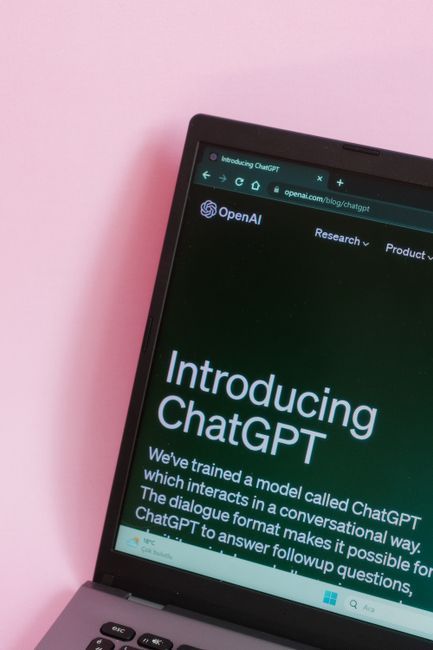
Laptop screen showing the ChatGPT homepage on a dark interface against a pink background
July 30, 2026
Most business websites are just digital brochures. They look professional, explaining what you do, listing your services, but not generating leads.
By Jon Richardson July 4, 2026
If your website were your sole source of leads, would you have a business today?
By Jon Richardson June 29, 2026
How to get found in AI Things are different now. For a long time, small business owners were told to aim for page one on Google. You worked on keywords, updated your meta tags, and hoped it would pay off. But now, the way people find your business is changing quickly. Google’s search results are starting to be replaced by AI Overviews . Instead of scrolling through links, people now ask ChatGPT, Gemini, and Perplexity for recommendations. These tools are not just search engines; they are answer engines. If your website isn’t set up for Large Language Models (LLMs), your business may not show up for the AI assistants your customers use. Here’s what you should know to stay visible in today’s digital marketing world. Stop Thinking Keywords, Start Thinking Context Traditional SEO focused on matching words. If someone searched for "plumber in Christchurch," you made sure that phrase was on your page. LLM optimisation, sometimes called Generative Engine Optimization (GEO), is different. AI models look for understanding, not just keywords . AI reads your site to learn who you are, what you offer, and how trustworthy you seem. When someone asks ChatGPT, "Who is the best web designer for a small law firm in Bournemouth?", the AI checks its training data and the web for the best answer. If your site only has keywords and lacks clear context, the AI will ignore it. The AI Playbook: 3 Ways to Get Recommended To show up in AI-generated answers, your website should be a main source of reliable information. Here’s how you can do that: 1. Use the "Inverted Pyramid" for Answers AI models work quickly and want answers right away. Set up your service pages like a news article: The Direct Answer: Start with a 50-60 word summary that explicitly states what you do and who it's for. The Context: Next, explain how you work, why you do it that way, your process, what makes you different, and your local knowledge. The Proof: Finish with facts, customer testimonials, and real case studies. If you run a cleaning company in Southampton, don’t hide your list of services at the end. Let the AI and your visitors know what you offer right at the start. 2. Turn Headings into Questions People talk to AI. They ask things like, "How much does a new website cost in Dorset?" or "What's included in a social media management package?" Instead of a plain heading like "Our Prices," try a question such as "How much do our web design services in Christchurch cost?" This makes it much easier for an LLM to match your content to what users ask. 3. Make the Most of Structured Data (Schema) Schema Markup is a special language for machines. It’s code that tells AI your business name, your address in the New Forest, your opening hours, and your service categories. At Overt Digital Media, we make sure every site we build uses advanced SEO and schema tagging. This way, when an AI bot visits your site, it doesn’t have to guess your details. It knows them for sure. Why Local Authority Still Wins AI models care about how close you are and your reputation. They look for real businesses with a strong presence. That’s why it’s more important than ever to be consistent across the web. If your address is different on social media and your website, it can confuse the AI. Whether you run a micro-pub in Bournemouth or work as an IT specialist in Southampton, keeping your Name, Address, and Phone (NAP) consistent across Dorset and Hampshire signals to AI that your business is real and trustworthy. Is Your Website Ready for the AI Shift? The shift from traditional search to AI-driven answers isn’t coming; it’s happening right now. The businesses that adapt today will be the ones ChatGPT and Gemini recommend as top choices tomorrow. Don’t let your business disappear online. Make sure your website is speaking clearly to these new AI models. Is your website AI-ready? Get a free website audit today and we'll show you exactly where you stand and how to start ranking for the future.
By Jon Richardson June 20, 2026
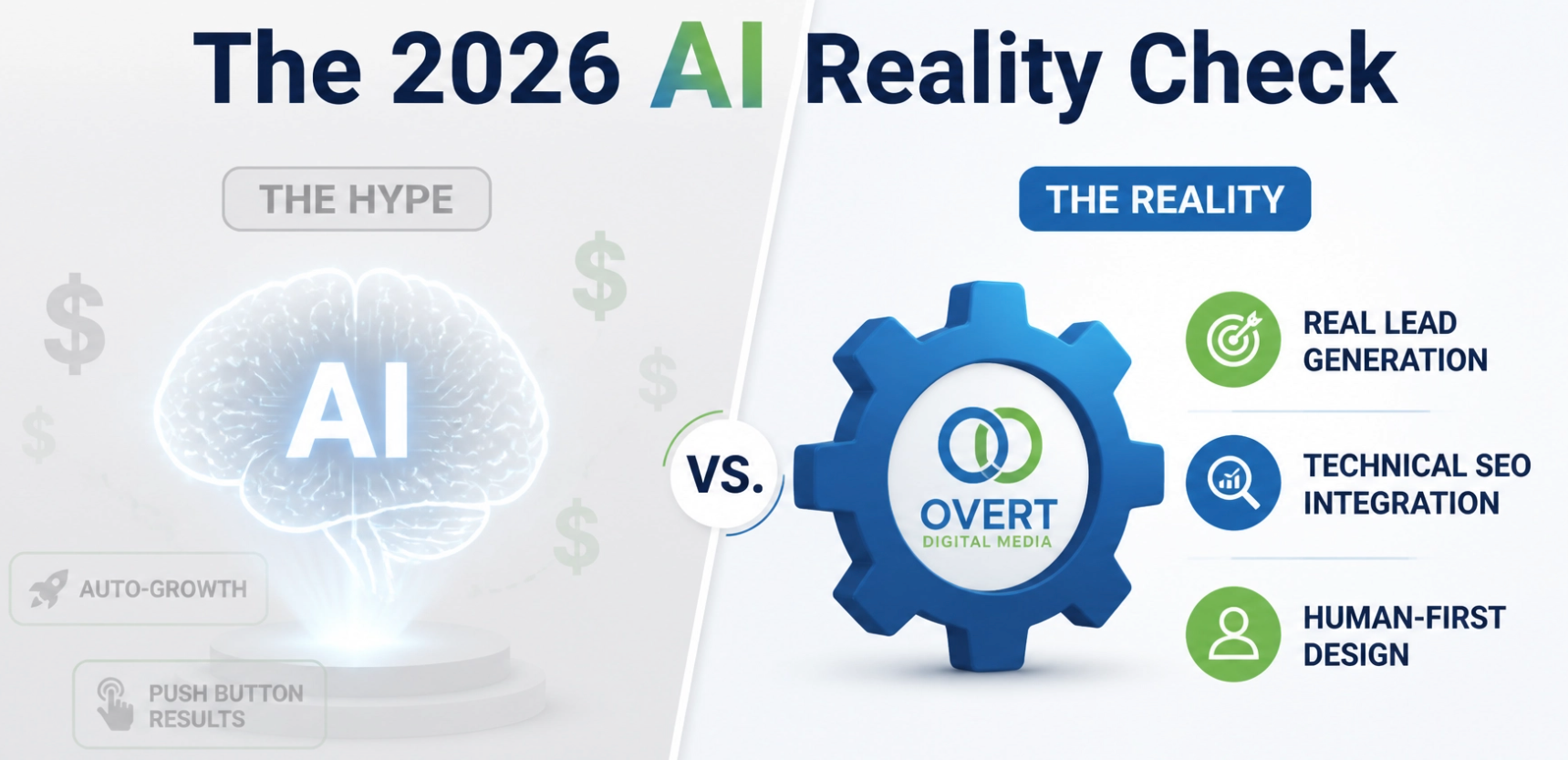
Do you really need an AI Agency in 2026?
By Jon Richardson June 8, 2026
This is a subtitle for your new post
By Jon Richardson May 18, 2026
How to Choose the Right AI Agency for your business The AI gold rush is in full swing. Spend five minutes on LinkedIn or at any networking event, and you’ll see plenty of AI consultants. That’s the problem. Every agency is suddenly an "AI agency." Every consultant is an "AI expert." Strip away the buzzwords, and most business owners are left asking a very fair question: What am I actually paying for here? If you're thinking about bringing AI into your business, and you should be, you’re probably not looking for something flashy. You want less admin. Fewer repetitive jobs and more time for the work that actually matters. That’s really what this comes down to. The right partner helps you get time back. The wrong one gives you an expensive toy you won’t use. So if you're trying to work out who actually knows their stuff and who’s just rebranded last week, here’s how to tell. 1. Don’t be blinded by the technology The biggest mistake you can make is hiring someone who talks about technology before they understand your business. You’ve probably heard the pitch before. We can install this clever tool. We can build that smart assistant. Fine. But if they haven’t asked how your enquiries come in, where jobs get stuck, or what your team keeps doing manually every single day, they’re guessing. A good partner starts with questions like: "What happens with inbound leads?" "Where do things slow down?" "What are you doing several times per day?" "What takes up time and headspace for no good reason?" That’s the real starting point. Not the software. Not the demo. Not the dramatic promises. If they can’t clearly explain why something will make your day easier, save your team time, or remove a bottleneck, it’s probably not the right fit. If getting a few hours back each week sounds useful, get in touch, and we’ll help you spot the obvious time drains. 
By Jon Richardson April 11, 2026
Let’s be honest: you’re probably tough to contact That’s not a criticism. It just means you’re successful. Whether you’re a solicitor in Christchurch, a high-end salon owner in Bournemouth, or a trade specialist in the New Forest, you’re busy, in meetings, on-site, and focused on the work that keeps your business running. Here’s the issue: while you’re focused on your work, you’re missing new opportunities. When a contact form goes unread for hours, or a call goes to voicemail, you’ve effectively lost that lead you have worked so hard for. In today’s world, the fastest responder wins—not just the one who offers the best service. If you slow your sales process, you could lose leads before you even speak with them. The Brutal Reality of "Speed to Lead" People expect quick answers. If someone in Bournemouth needs a service at 7:35 PM on a Saturday, they want their problem solved right away or at least to know that someone will help as soon as possible. Your chances of converting a lead drop by 80% if you wait more than ten minutes to respond. By the time you finish a coffee or a client call, your lead may already have contacted someone else. If you’re not the first to answer or reply, you risk losing out. Today’s customers see slow responses as unreliable. If you take two days to respond to a quote request, they might think the whole job will take much longer. The Manual Bottleneck: Why You Are the Problem Most business owners we meet at Overt Digital Media value their personal touch. They like to answer emails themselves and to be the voice on the phone. But this approach may slow your growth. Think about your current process: A potential customer fills out a form on your website. An email notification lands in your inbox (among 50 other emails). You see it 45 minutes later while grabbing lunch. You tell yourself, "I'll reply when I get back to the office." You get back to the office, get distracted by an urgent issue, and finally reply at 6:00 PM. By 6:00 PM, that lead has already booked a consultation with another s eo agency in Christchurch or a different local provider who has a system in place to catch them instantly. Manually following up is tiring and inconsistent. It often makes you switch tasks, breaking your focus and lowering productivity. You end up doing admin work for free and missing out on income. Enter the 24/7 Gatekeeper: The AI Receptionist The most common problem is missing phone calls. You might be on another call, driving, or simply taking a break from work. Voicemail rarely works for leads. Fewer than one in ten people leave messages; most just hang up and call someone else. This is where an AI Receptionist comes in. Unlike a traditional answering service, which just takes a name and number. An AI receptionist can actually handle the inquiry. It can answer questions, qualify leads, and even book an appointment directly in your calendar. Picture a client calling your business at midnight. Instead of no going through to voicemail, they reach an intelligent assistant who answers their questions and books a meeting for Monday morning. You wake up to a full calendar, and your client feels confident. This is how you stay ahead without answering every call yourself. Book a demonstration of our AI Receptionist