Affordable Web Design vs. DIY: Why Hiring a Professional Matters

Jon Richardson • June 7, 2025

Weighing the Pros and Cons of Professional Web Design and DIY Solutions

When it comes to creating a website, businesses and individuals are often faced with a critical decision: should they invest in professional web design services or opt for a do-it-yourself (DIY) approach? Both options have their merits and drawbacks, and the right choice depends on your goals, budget, and expertise. In this article, we explore the key differences between affordable professional web design and DIY solutions, and why hiring a professional often leads to better outcomes in the long run.

Understanding DIY Web Design

A person is typing on a laptop computer.

When it comes to creating a website, businesses and individuals are often faced with a critical decision: should they invest in professional web design services or opt for a do-it-yourself (DIY) approach? Both options have their merits and drawbacks, and the right choice depends on your goals, budget, and expertise. In this article, we explore the key differences between affordable professional web design and DIY solutions, and why hiring a professional often leads to better outcomes in the long run.

Advantages of DIY Web Design

A woman is sitting at a table using a laptop computer.

 1. Cost-Effectiveness


DIY platforms are often more affordable upfront. Monthly subscription fees and free templates can make website creation accessible to small businesses and individuals with limited budgets.


2. Ease of Use


Modern website builders are designed with user-friendliness in mind. Drag-and-drop interfaces allow users to create pages quickly and customise designs without coding expertise.


3. Creative Control


DIY solutions provide a sense of autonomy, enabling users to experiment with layouts, colours, and content at their own pace.

Limitations of DIY Web Design

A man is sitting at a table using a laptop computer.

 1. Limited Scalability


While suitable for simple websites, DIY platforms often lack the flexibility needed for larger or more complex projects. Integrating advanced features or customisations can be challenging.


2. Time-Consuming


Learning the ins and outs of a web design platform and troubleshooting issues can take significant time—time that could be better spent focusing on your core business.


3. Lack of Professional Expertise


Without a background in design or user experience (UX), it’s easy to create a site that feels cluttered or unprofessional, which may negatively impact user engagement and credibility.


4. SEO Challenges


Many DIY platforms offer basic SEO (Search Engine Optimisation) tools, but they often fall short of the robust optimisation required to compete in search engine rankings effectively.

Hiring a Professional Web Designer

A man is sitting at a desk working on a computer.

Professional web design involves working with an experienced designer or agency to create a tailored website that meets your unique needs and objectives. While the initial investment may be higher, the benefits often outweigh the costs. These include:

Advantages of Professional Web Design

1. Customisation and Uniqueness


A professional designer creates a website tailored to your brand identity, ensuring a distinctive and memorable online presence that sets you apart from competitors.


2. Expertise in User Experience (UX) and User Interface (UI)


Professionals understand how to design intuitive interfaces and seamless navigation, enhancing the user experience and encouraging visitors to stay longer and engage with your content.


3. Scalability and Flexibility


Professional web designers build sites with future growth in mind, incorporating features that allow your site to scale as your business evolves.


4. Advanced SEO Integration


Professionals implement advanced SEO strategies, from optimised code and responsive design to content structuring and keyword research, to improve your website’s visibility in search engines.


5. Time Efficiency


With a professional handling the design, you can save time and focus on your business. The process is streamlined, ensuring timely delivery without compromising quality.


6. Ongoing Support


Many web design agencies offer maintenance packages, ensuring your site remains updated, secure, and functional over time.

Drawbacks of Professional Web Design

A man is sitting at a desk looking at a piece of paper.

1. Higher Initial Cost


Hiring a professional requires a larger upfront investment compared to DIY platforms. However, this cost is often offset by long-term benefits and increased Return On Investment (ROI).


2. Dependence on a Designer


Some businesses may feel limited by relying on a designer for updates or changes, though this can be mitigated by choosing an agency that provides training or user-friendly content management systems.

Making the Right Choice

A man is looking at a before and after picture of a website.

The decision between DIY and professional web design depends largely on your specific needs, budget, and long-term goals. For a simple personal blog or a temporary landing page, DIY may suffice. However, for businesses aiming to establish credibility, drive traffic, and convert leads, professional web design is often the smarter investment.


A professionally designed website not only enhances your brand’s image but also ensures functionality, scalability, and performance that stand the test of time. While the initial cost may seem daunting, the long-term benefits in terms of user engagement, SEO rankings, and business growth make it a worthwhile expenditure.

Take Your Website to the Next Level

Are you ready to create a website that truly represents your brand and achieves your goals? Let the experts at Overt Digital Media handle your web design needs. Our affordable, tailored solutions ensure your website stands out and performs at its best. Visit www.overtdigitalmedia.com to learn more and get started today.

Book a free Consultation

By Jon Richardson December 7, 2025
Struggling for leads? 10 quick SEO secrets, UK agencies don't want you to know. Your competitors are getting all the leads while you're struggling to get noticed online. Sound familiar? Here's the truth most digital marketing agencies in Christchurch don't want you to discover: local SEO isn't rocket science, and you don't need a computer science degree to make it work. Most agencies overcomplicate things on purpose – it keeps you dependent on their services. But the reality is that small tweaks to how you present your business online can dramatically increase the number of local customers finding and choosing you over your competition. Let's break down the exact strategies that work, explained in plain English. Secret #1: Stop Fighting for "Plumber" – Win "Emergency Plumber Christchurch" Instead Forget trying to rank for broad terms like "plumber" or "electrician." You're competing against every business in the UK for those keywords. Instead, focus on what people actually type when they need your services urgently. Think like your customers. When someone's toilet is overflowing at 2am, they're not searching for "plumber." They're typing "emergency plumber near me" or "24 hour plumber in Christchurch, Dorset." What to do right now: Make a list of your services, then add your suburb or area to each one. Use these phrases naturally throughout your website content, especially on your main pages. Secret #2: Create Landing Pages for Each Area You Serve This is where most small businesses miss out on massive opportunities. Instead of one generic "Services" page, create separate pages for each suburb or area you work in. For example, if you're a carpet cleaner, don't just have one page about carpet cleaning. Create: "Carpet Cleaning in Highcliffe" "Carpet Cleaning in Christchurch" "Carpet Cleaning in Burton" What to do right now: Pick your top 3 service areas and create dedicated pages for each. Include local landmarks, mention the specific challenges customers in that area face, and use photos from actual jobs in those neighbourhoods. Secret #3: Your Google Business Profile is Your Secret Weapon Your Google Business Profile (formerly Google My Business) is often the first thing potential customers see. Yet most businesses treat it like an afterthought. Here's what separates the businesses getting calls from those being ignored: Post updates at least once a week Respond to every review within 24 hours Upload new photos monthly Keep your opening hours religiously up to date Use the "Products" section to showcase your key services What to do right now: Log into your Google Business Profile today. Check every detail is correct, upload 5 new photos, and write a post about a recent job or customer success story. 
By Jon Richardson November 22, 2025
Why Local Businesses Are Moving Away from Directories - And Finding Bigger Wins with Google Business Profile
By Jon Richardson November 17, 2025
Networking for Trades - Good & Bad
By Jon Richardson November 10, 2025
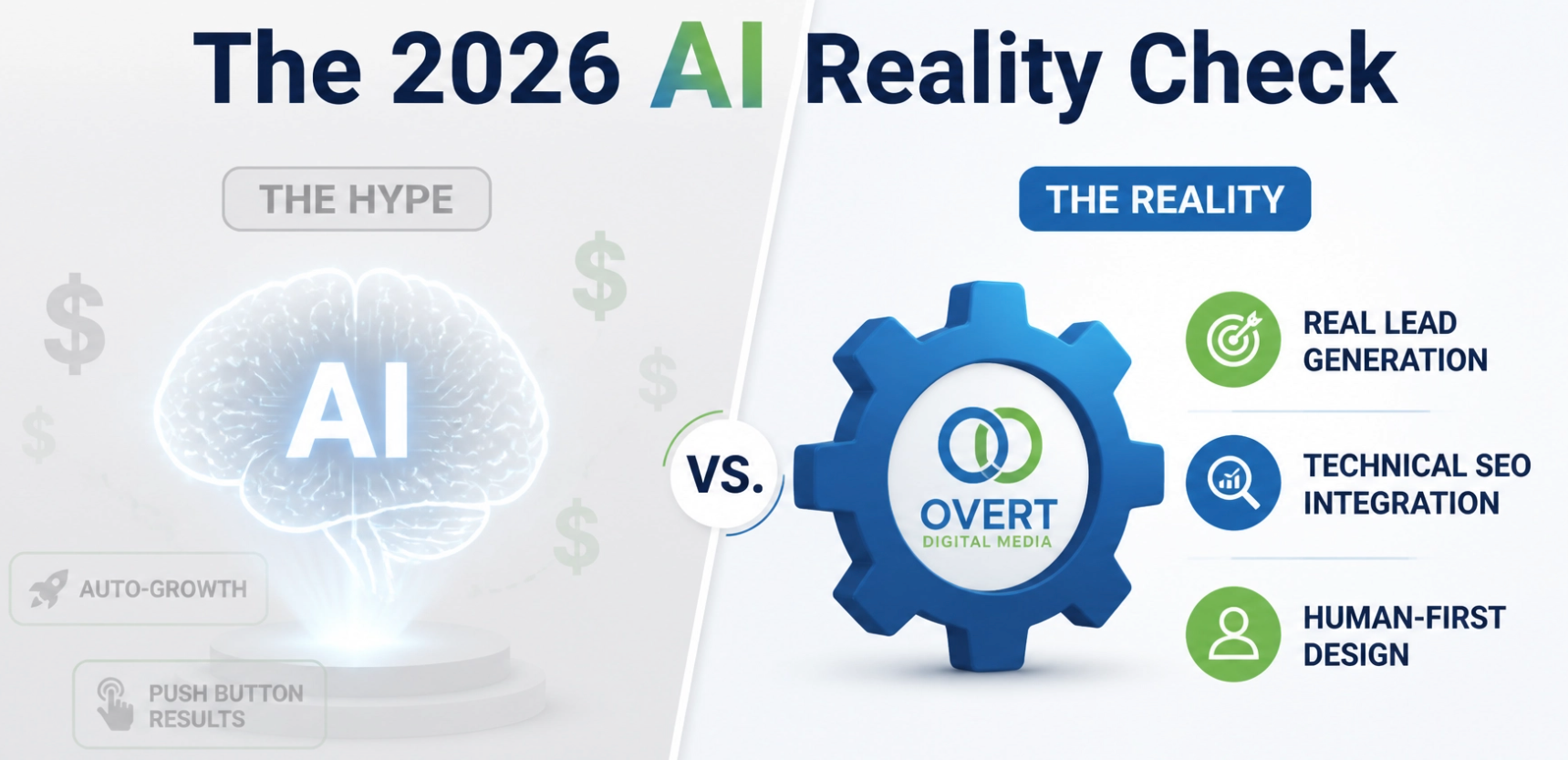
AI for the Local Business Owner: What’s Worth Using and What’s Just Hype!?! AI is everywhere right now. Every week, there’s a new tool, new feature or new “game-changer” that promises to transform your business overnight. For many local business owners, it feels like déjà vu — we’ve heard all this before. And yet… this time it’s different. AI isn’t just a buzzword for big tech firms anymore. It’s filtering down into everyday tools small businesses already use — your website builder, Google Business Profile, CRM, social media scheduler and even your email inbox. The challenge now isn’t whether to use AI, but which tools are actually worth your time — and which ones are just shiny distractions that slow you down. So, let’s cut through the noise and look at where AI really earns its keep for small, local businesses. The AI Tools That Actually Save You Time AI Email and Admin Assistants If you spend half your life replying to repetitive customer emails — booking confirmations, pricing queries, FAQs — AI can handle a lot of that grunt work for you. Tools like ChatGPT, Claude, or Microsoft Copilot can draft replies, check tone, or even integrate with Gmail or Outlook to automatically suggest responses. But the key is to train them with your own tone of voice . You don’t want robotic replies that sound like a call centre in space. Spend an hour teaching the system how you talk to customers, short, polite, straight to the point — and it’ll start saving you hours a week. If your inbox is a mess, Superhuman or Shortwave uses AI to summarise long threads and prioritise messages that actually need your attention. That’s a lifesaver when you’re on the go. AI Scheduling and Note-Taking If you use Zoom, Teams or Google Meet, you’ve probably noticed new “AI companion” features. They can record, summarise and create action lists from your meetings all automatically. Fireflies.ai and Fathom do this well and integrate with most platforms. Imagine finishing a customer call and having a neat summary of what was discussed, follow-ups and deadlines emailed to you within minutes. That’s practical AI. It doesn’t wow anyone on LinkedIn, but it gives you time back — and that’s what matters. AI Social Media Tools AI can now write your captions, crop your videos and even schedule posts at the times your audience is most active. Vista Social (which we use at OVERT DIGITAL MEDIA ) does a solid job of this, as does Later and Metricool. What’s worth using: AI tools that write drafts you can edit quickly not ones that try to take over the whole creative process. The point isn’t to hand everything over to the bot; it’s to speed up the parts you hate doing. The AI Tools That Actually Generate Leads AI isn’t just about saving time; it can actively help you win new business — if you use it the right way. Google Ads and Meta Ads Optimisation You’ve probably noticed that Google and Meta now talk about “Smart Campaigns” and “Advantage+” ads. That’s AI at work — algorithms that automatically test different ad headlines, images and targeting combinations to find what performs best. It’s far from perfect, but it’s powerful when used properly. The mistake small businesses make is letting the system run on autopilot without checking what it’s doing. AI works best when you feed it good data and clear goals. You still need to know what to target, where your audience lives, and what problem you’re solving. Let AI do the testing and optimisation — but don’t hand it the steering wheel. If you’re managing ads yourself, use AdCreative.ai to generate high-converting ad visuals and copy in minutes. It’s simple, quick and doesn’t look like it came from a robot. AI for Local SEO and Google Business Profile This is one area where AI genuinely gives small businesses a fighting chance against national brands. AI-powered tools like Local Falcon, BrightLocal and Surfer Local can scan your entire Google Maps ranking area and show exactly where you’re visible (and where you’re not). That’s data you could never get manually. You can then use AI to help write keyword-optimised posts, service descriptions, and responses to reviews. If you do it properly, you can dominate your local area because most of your competitors won’t even know these tools exist. We’ve tested this ourselves, and the difference can be night and day. Clients go from being invisible outside their postcode to ranking across an entire 10-mile radius in a matter of months. To learn more, check out our LOCAL SEO service page. AI Chat and Lead-Capture Agents Here’s a huge one. AI chat agents can now do far more than pop up on your site with “How can I help you today?”. They can qualify leads, answer FAQs, book appointments, and even follow up automatically. Tools like Tidio, Drift, or GoHighLevel AI Agents make it easy to build one that fits your tone and brand. Used properly, they can turn missed calls into booked jobs, especially for trades and service businesses where speed of response is everything. But be warned: this only works when your bot feels human. If it gives robotic, generic answers, it will kill trust instantly. Spend time training it with real questions and examples from your past conversations. You can see how we use automation like this on our AI Websites page. The Tools That Sound Exciting but Rarely Pay Off AI image generators, video avatars and content mills have their place, but most small businesses waste time chasing gimmicks that never generate a penny in return. AI Image Generators Everyone loves playing with Midjourney and DALL-E — but unless you’re in creative design or product marketing, it’s mostly just fun. They’re great for social graphics, concept visuals and mock-ups, but they take time to master. You’ll still need editing, branding and human judgment to make the results usable. Verdict: Nice to play with, not a daily essential. AI Blogging Tools You’ve probably seen the “write me 10 SEO-optimised blogs instantly” type tools. They can churn out text, sure, but it’s usually bland, repetitive and reads like it was written by a committee of robots. If your aim is to rank or build trust locally, that won’t cut it. AI is brilliant for drafting outlines and ideas (we use it for that all the time), but you still need a human to add expertise, local context and personality. Google’s algorithm is smart enough now to spot thin, generic AI content. You’ll do better with one well-written blog a month that genuinely helps people than with ten AI-generated ones that don’t say anything new. AI Video Avatars These have exploded in popularity, but most look awkward and fake when used for local service businesses. Unless you’re creating explainer videos or training content, it’s better to film yourself (or your team) for authenticity. AI avatars can’t replace genuine personality and personality is what sells local services. How to Tell if an AI Tool Is Worth It Before you sign up for yet another shiny new AI platform, ask three questions: Does it save me time every week? If it doesn’t make a recurring difference, it’s not worth keeping. Does it improve my marketing results? Does it generate more leads, improve conversions, or give insights I couldn’t get otherwise? Can I see myself actually using it? Most AI tools fail not because they’re bad, but because people forget they exist. Pick a few that fit neatly into your daily workflow. A good test is this: if you stop using it for a week and nothing gets harder, cancel it. The AI Tools We’d Recommend to a Local Business Right Now If you’re short on time and want a focused list, here’s what genuinely helps most small businesses: ChatGPT or Claude – for quick drafts, emails, ideas and posts. GoHighLevel AI Agent – for lead capture and automated follow-ups. Local Falcon – to track and improve your local visibility. Vista Social – to manage social posts and analyse engagement. Fireflies.ai – to summarise calls and meetings. AdCreative.ai – to create better-performing ad creatives quickly. Everything else? Nice to have, but not essential. The Future: AI as Your Silent Business Partner The smartest small businesses in 2025 won’t be the ones that chase every new trend. They’ll be the ones that quietly integrate AI into their day-to-day operations and never look back. AI won’t replace you (yet), but it will replace a lot of your admin, manual marketing, and repetitive customer interactions. That means you can spend more time doing what you actually enjoy, running your business, talking to customers, and delivering great work. Final Thoughts Most AI hype is built around things that look impressive. But the real gold is in the boring stuff — automation, data insights and everyday time-savers that keep your business moving faster than your competitors. Start small. Automate one thing. Measure the impact. Then add the next piece.vvWithin a few months, you’ll wonder how you ever managed without it. If you’d like help identifying the right AI tools for your business, or want us to integrate them into your marketing systems, BOOK A CHAT WITH THE TEAM AT OVERT DIGITAL MEDIA . We’ll show you what’s genuinely worth your investment… and what belongs firmly in the bin.
By Jon Richardson November 2, 2025
How AI Video Can Help You Win More Customers and Grow Your Business Faster
By Jon Richardson October 26, 2025
Forget doing everything, focus on marketing activities that actually drive leads and growth.
By Jon Richardson October 5, 2025
Take Control of Your Marketing with Our 73-Point Self-Service Audit.
By Jon Richardson September 28, 2025
Follow our 7-step process to get more Google Reviews for your business.
By Jon Richardson September 20, 2025
The 12-Point Checklist to See if Your Website is Up to Scratch
By Jon Richardson September 7, 2025
Why regular marketing is essential (and easy)!